1v1.LOL on a Chromebook: Loading, Lag, Mouse and Settings
Published · 2 min read
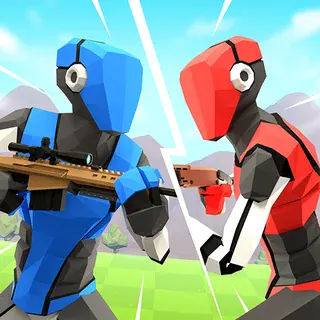
1v1.LOL is one of the heaviest games you can play in a browser. That makes it impressive on a good laptop and occasionally frustrating on a school Chromebook. Most problems have simple fixes. Here they are.
The first load is big
The game is built in Unity, and the first time you open it the browser has to download the whole client. On school Wi-Fi that can take a minute or more, and the loading bar may pause for a while near the end. Let it finish. The browser keeps a copy, so later visits start much faster — as long as you use the same browser on the same device.
Getting a smoother frame rate
- Close every other tab. Video, music and even busy websites compete for the same processor.
- Lower the graphics quality in the game's settings. The fights play the same with fewer effects, and a steady frame rate matters far more for building and aiming than good shadows.
- Plug in the charger. Many Chromebooks slow down on battery.
- Restart Chrome if it has been open all day.
- Try a smaller window if fullscreen stutters. Fewer pixels means less work.
Mouse capture
1v1.LOL needs to capture your mouse so moving it turns your view. Click inside the game once to do this. When you want your cursor back — to use a menu or another tab — press Left Alt. If the view suddenly stops turning, you have probably lost capture; click in the game again.
Trackpad or mouse?
You can play on a trackpad, but it is hard to build and aim at the same time. If you can, plug in a basic USB mouse. It makes a bigger difference to your results than any setting.
Settings worth changing first
- Graphics quality: as low as you need for smooth play.
- Sensitivity: tune it until a quick flick turns you about as far as you want.
- Key bindings: if Z, X, C and V feel awkward on a small keyboard, move the building pieces to keys you can reach without looking.
Connection problems
The Reloaded client plays on community-run servers. If you cannot get into a match, try again in a few minutes or pick a different mode. A weak Wi-Fi signal causes lag that no setting can fix, so sitting nearer the router helps.
Progress and accounts
You can play as a guest. If you want to keep your rank and items, sign in inside the game. Without signing in, progress lives in the browser and can be lost if the site data is cleared.
If something still does not work, tell us on the contact page which Chromebook model you use and what you see.
More from the blog
- 1v1.LOL Weapons and Aim: Which Gun to Use and When
Shotgun, assault rifle, sniper and pickaxe — when each one wins a fight in 1v1.LOL, how to swap at the right moment, and simple aim habits for trackpads and mice.